



The contemporary academic environment can be likened to a marathon run at a sprinter’s pace. In between the overly packed lectures, the endless reading lists, and the need to keep up with a high GPA, most students are caught in a trap of guilt over their productivity and physical fatigue. AI productivity tools are, however, changing the story from ” study harder to study smarter. The automation of mechanical and time-consuming parts of the learning process provides students with an opportunity to regain their time and concentrate on what really counts: mastering the material with the help of AI.
The End of the “Blank Page” Struggle
The amount of raw information that has to be processed is one of the largest contributors to student burnout. Historically, a student could spend hours typing a lecture or reading a textbook chapter, simply to make a useful study guide. Such manual labor is not conducive to actual memorization or critical thought.
Here, an intelligent notes writer AI is a game-changer. Rather than drowning in a pool of chaotic ideas, students can process complex, longer-than-one-page transcripts or multi-page documents via AI into clear, structured, and actionable notes. This not only saves time but also alleviates cognitive load, avoiding the mental exhaustion that leads to burnout.
1. Streamlining Organization with Edubrain
When it comes to turning a mountain of data into a coherent study plan, efficiency is key. Edubrain offers a specialized notes maker AI designed to streamline this exact process. This will help you summarize and outline your studies by highlighting key dates, formulas, and concepts in your notes. You don’t need to do this part, since you can rely on an already existing good base that lets you jump right into recall and application. To make Edubrain work for you in the real world, think of it as a “fast-track” tutor rather than just a website. Here is the most practical way to use it:
- The “Snap and Solve” Shortcut: Don’t waste time typing. Take a photo of your handwritten math problems or upload a PDF of a textbook chapter. The AI scans the image and breaks down the solution in seconds.
- Study Level Tuning: You can toggle the difficulty from High School to PhD. This ensures the answers aren’t too simple for a college course or too complex for a basic quiz.
- Mastering the “Why”: Since Edubrain provides step-by-step logic, use it to check your own work. If your math answer is wrong, compare your steps to the AI’s to find exactly where you tripped up.
- Exam Prep: Take the summaries generated by the AI Answer Generator and plug them into the Flashcard Maker. This turns a stressful homework session into an organized study deck for your finals.
- Zero Friction: Because there is no sign-up, you can use it in the middle of a library session or right before a deadline without digging through your email for a password.
2. Research Precision with Perplexity AI
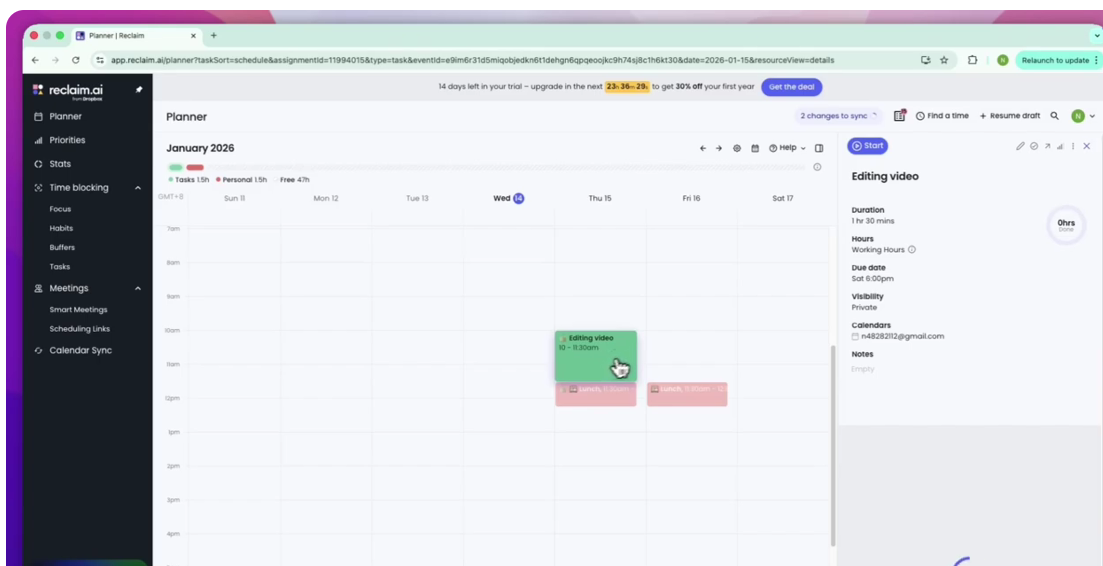
Finding dependable sources can be the most tiring thing about any research assignment. The Perplexity AI software functions as an intelligent search engine that searches the internet and returns answers in a well-formatted, cited format. You can get rid of tab overload with its help in finding reliable sources to complete your research assignments in no time. Think of Perplexity as your “smart search” best friend—the one who actually keeps receipts. While Edubrain solves the problem, Perplexity finds the proof.
Here’s how to use it like a pro:
- The “Receipts” Feature: Every time it gives you an answer, it includes clickable citations. Use this to find real sources for your essays so you don’t have to spend hours googling for a bibliography.
- The “Research” Deep-Dive: If you have a huge topic (like “The history of the stock market”), hit the Research toggle. It’ll do multiple searches at once and write a full report for you.
- Narrow the Scope of Your Query: Press the “Focus” tab, and direct the AI where to search. Select “Academic” for academic papers, or choose “YouTube” to get rid of advertisements and search for a particular tutorial.
- Get an Instant Summary: Insert the link to a lengthy article or the file (up to 50 pages). Within seconds, it’ll provide you with the main ideas or answer any particular question about that article.
- Sort Materials by Subject: Create special “Spaces” (folders) for each course. Add your course syllabus to those spaces, and the AI will be aware of the guidelines of your class.
3. Polishing Performance with Grammarly
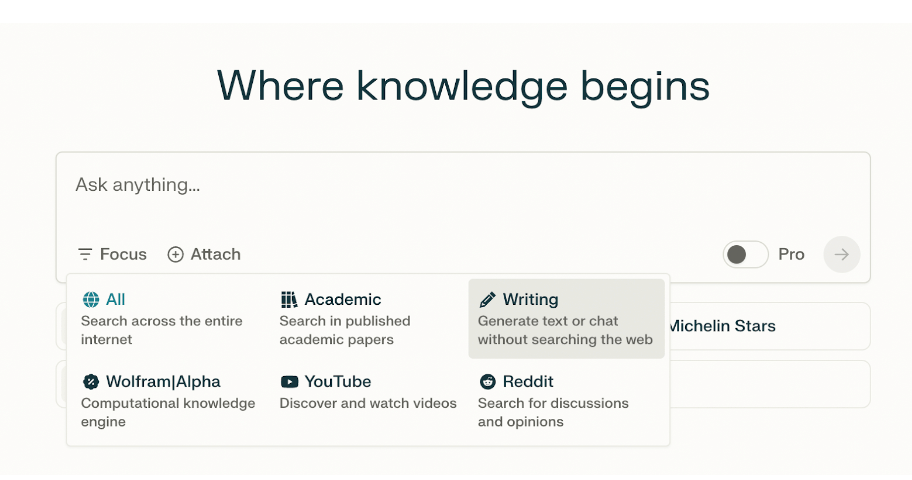
It is well known that perfectionism may lead to procrastination. Grammarly does much more than checking spelling and grammar; the platform has a feature that predicts the grade you will receive based on your essay. In addition, you have the opportunity to improve assignments with immediate feedback and submit them confidently as they correspond to professional standards, even before a professor sees them.
Grammarly is like a personal editor that follows you and helps you avoid mistakes in tone and grammar. Moreover, it focuses not on providing facts but on ensuring you do not sound robotic.
Here is the most useful strategy:
- The “Everywhere” Assistant: While Grammarly offers a website version, consider downloading the browser extension or desktop app to check spelling and grammar in Google Docs, emails, and Slack channels.
- The Vibe Check (Tone Detector): The tool helps determine whether you sound confident, formal, or scared. It is useful if you need to check the tone in emails sent to a professor.
- One-Click Fixes: Grammarly underlines all possible errors with a red line, allowing you to replace words and rewrite sentences instantly.
- The Plagiarism Shield: If you’re worried you leaned too hard on a source, the Premium version scans billions of web pages to see if your writing is too close to someone else’s, helping you stay out of trouble.
- Smart Rewriting: If a sentence feels “clunky,” Grammarly Premium suggests a full rewrite to make it clearer and more concise. It’s perfect for when you’re trying to meet a word count without sounding repetitive.
4. Time Mastery with Reclaim.ai
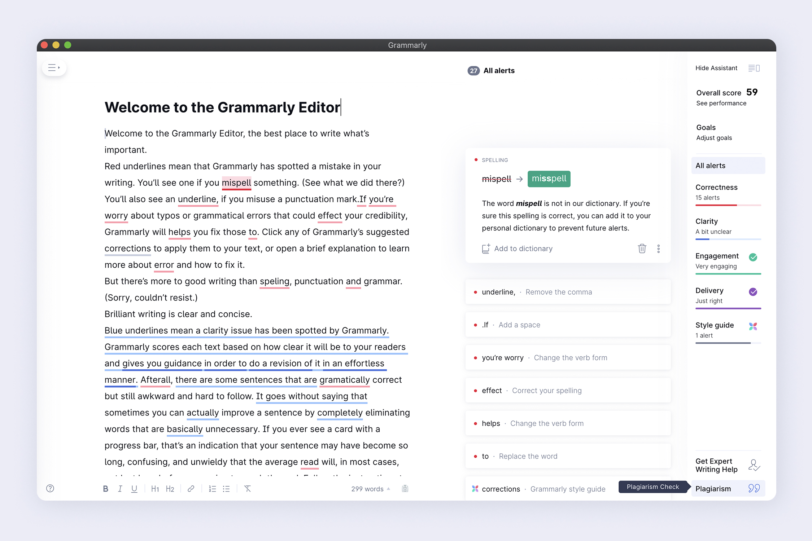
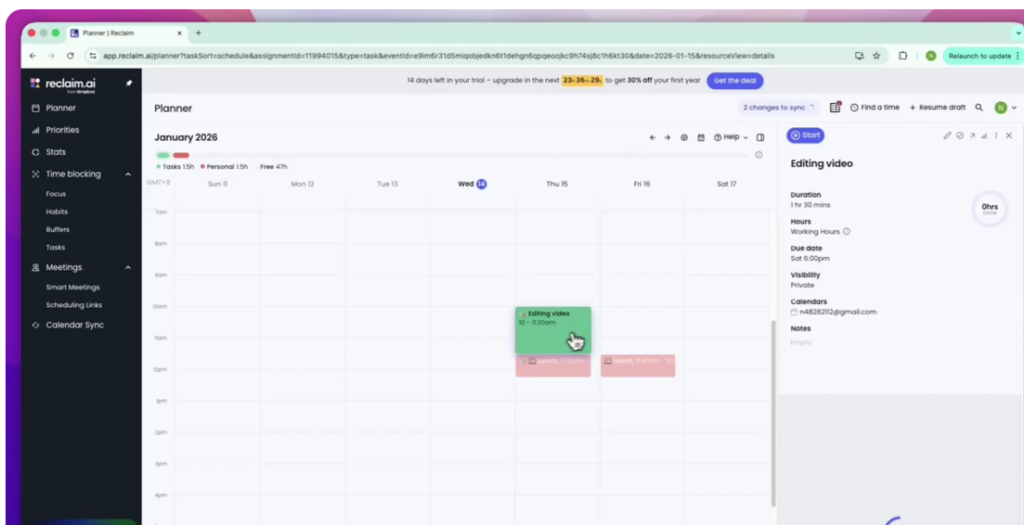
Burnout usually results from the absence of structure and downtime. Reclaim.ai is an AI-powered calendar optimizer that helps you optimize your time by scheduling classes at the best times. The application will ensure your Deep Work time is not disrupted if you have a late lecture or a changed deadline. Think of Reclaim AI as your “calendar bodyguard.” While most calendars just sit there and let people book over your lunch break, Reclaim fights to protect your time.
Here is the most practical way to use it:
- Set Your “Habits”: Tell yourself you want to exercise for 30 minutes or study for an hour every day. Reclaim will find the best spot for it. If a new meeting pops up, it doesn’t delete your workout—it just automatically shifts it to the next free gap.
- The “Decompression” Buffer: You can set it to automatically add a 10-minute break after every meeting. This stops back-to-back “Zoom fatigue” by literally forcing a breather into your schedule.
- Life Syncing: Connect your personal Google Calendar to your work one. It will block off your “Dentist Appointment” on your work calendar as “Busy” without showing your boss the private details. No more accidentally getting booked when you’re busy at home.
- Smart “Focus Time”: Tell Reclaim you need 10 hours of deep work a week. It will scan your week and block out chunks of time for you to focus. If your calendar starts getting too full, it turns those blocks from “Flexible” to “Busy” so nobody can steal your last chance to get work done.
- Task-to-Calendar:Stop making to-do lists that you never look at. Sync your tasks (from Todoist, Asana, or Google Tasks), and Reclaim will place them on your calendar based on their due dates.
5. Overcoming Paralysis with Goblin Tools
Sometimes the hardest part of a project is simply knowing where to begin. Goblin Tools is specifically designed to help with executive function by “breaking down” daunting assignments into tiny, manageable steps. By turning a massive 20-page paper into a simple checklist of small tasks, it removes the mental paralysis that often leads to late-night cramming sessions and unnecessary stress. Consider Goblin Tools to be “your executive function in a pocket.” While Reclaim handles your time management, Goblin Tools helps you clear your mental fog. This tool is created for neurodivergent individuals (ADHD/Autism), but can also work wonders for everyone else.
Here is the most practical way to use it:
- Magic To-Do (The “Breaking Point”): Type in a scary, vague task like “Clean the kitchen” or “Start research paper.” Click the Magic Wand, and it breaks that one big task into tiny, manageable steps so you actually know where to start.
- The Formalizer: Ever write an email when you’re annoyed? Paste it here and choose “More Professional” or “More Polite.” It can also do the opposite—turning a stiff, boring paragraph into something “More Casual.”
- The Judge: If you’re staring at a text from your boss or a friend, wondering, “Are they mad at me?”—paste it into The Judge. It uses AI to analyze the emotional tone so you don’t have to overthink it.
- The Estimator: If you have “time blindness” and think everything takes 5 minutes, this tool is for you. Type in a task, and it will give you a realistic guess of how long it will actually take.
- The Chef: Have three random ingredients in your fridge and no energy to think? Type them in, and the Goblin Chef will generate a recipe using only what you have.
Achieving an Academic Balance Sustainably
It must be understood that implementing artificial intelligence in your schedule is not about embarking on an educational journey, but rather about eliminating any hurdles in your path. Should you seek out artificial intelligence for assistance in organizing and compiling all data, then you would have yourself an online teacher’s aide. Better note-taking means better mental well-being since you do not have to fear forgetting any material in a rush during lectures. Being organized also improves memory retention and increases time efficiency, allowing you to sleep more and engage in physical activity.

